
BSTMatrix-FFPE Installation Guide
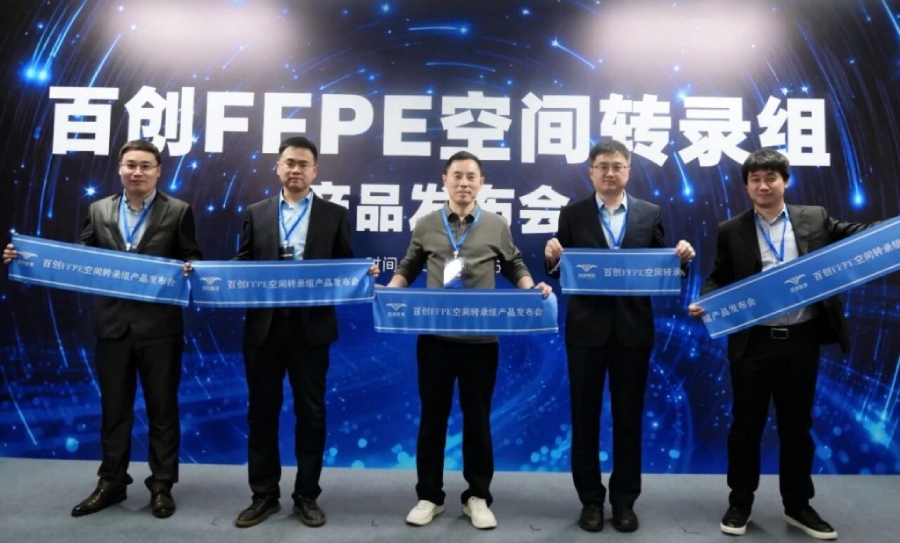
BMK Launches an FFPE Spatial Transcriptomics Product: Direct poly(A) Capture Breaks Through the Bottleneck of Clinical Sample Detection
2026-03-31
BMKManu S3000-FFPE Demo Data
2026-05-191. Software Dependencies
After downloading and extracting BSTMatrix-FFPE, install the software dependencies as described in “Environment_Configuration.rst” in the directory. If conda is already installed, you can create the environment from the setup.yaml file in the directory with the following command:
conda env create -f setup.yaml -n (environment name)
2. Input Data Preparation
- Sequencing data: paired-end FASTQ data.
- Reference genome data: genome sequence file, GTF file (column 3 must contain exon), containing gene_biotype.
- TSV file: can be generated from the GTF file. Reference command: perl ./tools/features_generate.pl -i xxx.gtf -o features.tsv
- BED file: can be generated from the GTF file. Reference command: perl ./tools/gtf2bed.pl genes.gtf > genes.bed
- STAR genome index file: can be generated from the genome sequence file and the GTF file. Reference command: STAR –runThreadN 8 –runMode genomeGenerate –genomeDir star/ –genomeFastaFiles genome.fa –sjdbGTFfile gene.gtf
- Fluorescence decoding file and HE image file.
- Fluorescence image file (at least one of the HE image and the fluorescence image must be provided).
3. Writing the Configuration File
Configuration file:
## fq: path to the sequencing data file; .gz format is supported
FQ1 /path/to/read_1.fq.gz
FQ2 /path/to/read_2.fq.gz
## Flu info file: path to the fluorescence decoding file
FLU /path/to/flu_info.txt
#CT /paht/to/chip_type.txt # chip type parameter file; if not provided, the pipeline determines it automatically
## AllheStat.py: tissue detection parameters
HE /path/to/HE.tif # brightfield stained image; provide at least one of this and the tissue fluorescence image
#INSIDE 1 # whether to detect blank areas inside the tissue: 0 = no, 1 = yes
#GRAY 200 # grayscale threshold for tissue image detection; determined automatically by default
## CellSplit: whether to perform cell segmentation, plus the fluorescence image path and color channel
CellSplit True # whether to perform cell segmentation analysis; T/True means enabled, otherwise disabled
fluorescence /path/to/fluorescence.tiff # tissue fluorescence image, optional.
fluorescence_channl 0 # color channel of the image, default 0
#FLGRAY 15 # grayscale threshold for fluorescence image detection; determined automatically by default
#cells_npy /path/to/cells/npyfile # existing cell segmentation npy result file; if provided, this file will be used for the analysis
# Cell segmentation parameters
#YAML /path/to/cell_split/parameter/file # cell segmentation parameter file, optional
#enhance 1 # choose 1 when cells are densely packed, or 0 when the cell nuclei are clearly separated
## reference genome STAR index directory and gff/gtf file path
GenomeVer xxx # genome version information, used in the report
INDEX /path/to/STAR/index/dir/
GFF /path/to/ref/gene/gff3/file # (a GTF file may also be used)
BED /path/to/ref/gene/bed/file # gene BED file
## reference genome features.tsv file path
FEATURE /path/to/features.tsv
## output directory and output file prefix
OUTDIR /path/to/result/dir/
PREFIX outfile-prefix
### Program Parameters
## fastq2BcUmi
BCType V2 # barcode version type (usually the V2 version)
BCThreads 8 # number of barcode identification threads
## reads filtering parameters
Threads 8 # number of program threads
MinLen 20 # minimum read length retained during filtering
## whether to skip the gene type proportion analysis (select 1 when the gene annotation is incomplete, e.g. if the GTF contains only protein-coding genes)
#SKIP 1
## Umi2Gene
Sjdboverhang 100 # the -sjdboverhang value used when building the STAR index; default 100
STARThreads 8 # number of STAR alignment threads
#STAR_para –outFilterMatchNminOverLread 0.66 –outFilterScoreMinOverLread 0.66 –outFilterMatchNmin 17
## paths to ENV, python and Rscript; if not provided, the versions in the system environment are used (comment out the following parameters if not provided)
PYTHON /path/to/python/dir/
Rscript /path/to/Rscript/dir/
Note: to run cell segmentation analysis, CellSplit in the configuration file must be set to True. Plant cell segmentation does not require a fluorescence image — simply provide the brightfield image via the HE parameter and comment out the fluorescence parameter.
4. Running the Pipeline
- Workflow description:
The workflow consists of 9 steps, as follows:
- Step p: preprocessing — trim and filter reads to remove adapter sequences.
- Step 1: Run fastq2BcUmi to identify barcodes and UMIs in the FASTQ data.
- Step 2: Run Umi2Gene to align reads to the reference genome and obtain the gene information corresponding to each UMI.
- Step 3: Run LinkBcChip to identify barcode information from the fluorescence data and map it to positions on the chip.
- Step 4: Run MatrixMake to generate the gene expression matrix.
- Step 5: Run AllheStat to process the HE image.
- Step 6: Run R to perform clustering analysis.
- Step 7: Run CellSplit to perform cell segmentation analysis.
- Step 8: Run WebReport to generate the web report.
- Workflow parameters:
-p preprocess the data, filtering adapters from the reads.
-c config.txt data configuration file
-s step selection: 0 runs all steps 1-8, or select individual steps to run separately; separate multiple steps with “,”.
Note: when selecting 0, set the CellSplit parameter to True in the configuration file if cell segmentation analysis is required.
Note: plant cell segmentation does not require a fluorescence image; simply provide the brightfield image via the HE parameter in the configuration file and set CellSplit to True.
- Reference commands:
./BSTMatrix-FFPE -p -c config.txt -s 0
./BSTMatrix-FFPE -p -c config.txt -s 1,2,3,4,5,6,7,8
./BSTMatrix-FFPE -p -c config.txt -s 1,3
5. OutputFile Directory Structure
- Directory structure and description of results:
outdir/
├── 00.cut_reads Step p: sequence trimming results directory
│ ├── cut.done Marker file
│ ├── xxx_cutA_cutread_cutTSO_1.fq.gz Trimmed read1 sequence file
│ ├── xxx_cutA_cutread_cutTSO_2.fq.gz Trimmed read2 sequence file
│ ├── xxx_cutA_cutread_cutTSO.len_stat Statistics file of the trimmed sequence lengths
│ ├── xxx_cutA_cutread_cutTSO.len_stat.plot.png Distribution plot of the trimmed sequence lengths
│ ├── xxx.cutadapt.log cutadapt log file
│ └── xxx.cut_reads.stat Reads filtering statistics file
├── 01.fastq2BcUmi Step 1: sequence barcode and UMI detection results directory
│ ├── xxx.bc_dist Statistics file of different barcode detections
│ ├── xxx.bc_stat Statistics file of different barcode detections
│ ├── xxx.bc_umi_read.tsv Statistics file of barcode types with their corresponding UMI and read counts
│ ├── xxx.bc_umi_read.tsv.id File of barcode types with their corresponding UMI and read IDs
│ ├── xxx.filter File of reads whose barcodes were not fully identified
│ ├── xxx.full_stat File of read and UMI counts for each barcode type
│ ├── xxx.id_map File of ID numbering correspondence
│ ├── xxx.qual.stat Reads statistics file
│ ├── xxx.select_id File of read IDs with fully identified barcode and UMI
│ ├── xxx.stat Barcode detection statistics file
│ ├── xxx.umi File of barcode types and UMIs corresponding to reads
│ └── xxx.umi_cor.info UMI correction information file
├── 02.Umi2Gene Step 2: gene expression information results directory
│ ├── actb02mean.stat ACTB gene coverage statistics file
│ ├── xxx_100000.bam Alignment results of 100,000 sampled reads
│ ├── xxx_100000.sort.bam Sorted alignment results of 100,000 sampled reads
│ ├── xxx_100000.sort.bam.bai
│ ├── xxxAligned.sortedByCoord.out.bam BAM file of STAR alignment results
│ ├── xxxAligned.sortedByCoord.out.bam.bai
│ ├── xxx.biotype_stat Statistics file of gene type proportions
│ ├── xxx.biotype_stat_barplot.pdf Plot of gene type proportions
│ ├── xxx.biotype_stat_barplot.png Plot of gene type proportions
│ ├── xxx.biotype_stat_piechart.pdf Plot of gene type proportions
│ ├── xxx.biotype_stat_piechart.png Plot of gene type proportions
│ ├── xxx.counts_by_biotype.txt Statistics file of gene type proportions
│ ├── xxx.counts_by_biotype.txt.summary Statistics file of gene type proportions
│ ├── xxx.cut0.fq File of the read2 sequences selected for alignment
│ ├── xxx.geneBodyCoverage.curves.png Gene region coverage curve
│ ├── xxx.geneBodyCoverage.r Script for the gene region coverage curve
│ ├── xxx.geneBodyCoverage.txt Data for the gene region coverage curve
│ ├── xxxLog.final.out STAR alignment statistics output file
│ ├── xxxLog.out STAR alignment log file
│ ├── xxxLog.progress.out STAR alignment log file
│ ├── xxx.map2gene File of reads mapped to genes
│ ├── xxx.map2gene_U_100000.txt Unique alignment results of the 100,000 extracted reads
│ ├── xxx_reads_mapped2Middle_genebody.stat Statistics file of the proportion covering the middle region of genes
│ ├── xxxSJ.out.tab STAR splice junction information file
│ ├── xxx_STARtmp STAR alignment temporary file directory
│ ├── xxx.stat Preliminary alignment statistics file
│ ├── xxx.total.stat Alignment summary statistics file
│ └── xxx.umi_gene.tsv File of UMIs and genes corresponding to barcodes
├── 03.LinkBcChip Step 3: barcode spatial localization results directory
│ ├── xxx.barcode_pos.tsv File of chip positions corresponding to barcode types
│ ├── xxx.barcode.tsv File of barcode types corresponding to chip positions
│ ├── xxx.barcode_umi.tsv File of barcode positions and UMI counts on the chip
│ ├── xxx.chip_type Chip-to-chip-type mapping
│ ├── xxx.dup_distinct Intermediate decoding file for duplicate signals on the chip
│ ├── xxx.one_distinct Intermediate decoding file for chip positions matching multiple barcodes
│ └── xxx.null File of unrecognizable chip position information
├── 04.MatrixMake Step 4: expression matrix results directory
│ ├── xxx.matrix.tsv Gene expression matrix file
│ ├── xxx.matrix.tsv.filt Filtering file
│ ├── xxx.select.bc_umi_read.tsv File of UMI and read counts corresponding to barcodes
│ ├── xxx.select.umi_gene.tsv File of UMIs and genes corresponding to barcodes
│ ├── xxx.select.umi_gene.tsv.filter File of gene information for the filtered-out barcodes
│ ├── xxx.sequencing_saturation.stat Sequencing saturation statistics file
│ └── xxx.sequencing_saturation.png Sequencing saturation curve
├── 05.AllheStat Step 5: tissue expression analysis results directory
│ ├── allhe Tissue region information directory
│ │ ├── he_roi_small.png PNG image of the detected HE tissue region
│ │ ├── he_roi.tif TIF image of the detected HE tissue region
│ │ ├── roi_heAuto.json JSON file of tissue regions
│ │ └── stat.txt Tissue region statistics file
│ ├── all_level_stat.txt Statistics file for the different resolution levels
│ ├── BSTViewer_project BSTViewer input data directory
│ │ ├── cell_split Cell segmentation data directory
│ │ ├── cluster empty
│ │ ├── he_roi_small.png PNG image of the detected HE tissue region
│ │ ├── he.tif HE-stained image file
│ │ ├── imgs empty
│ │ ├── level_matrix Directory of expression matrices at different resolution levels
│ │ ├── project_setting.json BSTViewer project JSON file
│ │ ├── roi_groups Directory of JSON files for the tissue and HE images
│ │ └── subdata Directory of tissue-region expression matrices at different resolution levels
│ ├── heAuto_level_matrix Directory of tissue-region expression matrices at different resolution levels
│ │ └── subdata Directory of tissue-region expression matrices at different resolution levels
│ ├── level_matrix Directory of chip expression matrices at different resolution levels
│ │ ├── level_1 Directory of level 1 expression matrices
│ │ ├── level_18 Directory of level 18 expression matrices
│ │ ├── level_2 Directory of level 2 expression matrices
│ │ ├── level_3 Directory of level 3 expression matrices
│ │ ├── level_4 Directory of level 4 expression matrices
│ │ ├── level_5 Directory of level 5 expression matrices
│ │ ├── level_6 Directory of level 6 expression matrices
│ │ ├── level_7 Directory of level 7 expression matrices
│ │ └── level_9 Directory of level 9 expression matrices
│ ├── lncRNA_level_stat.txt Statistics file of lncRNA at different resolution levels
│ ├── lncRNA_level_stat.txt.merge Overall statistics file for the different resolution levels
│ ├── stat.txt Tissue region analysis statistics file
│ └── umi_plot UMI plotting results directory
│ ├── all_umi_count_small.png PNG image of chip-region UMI counts
│ ├── all_umi_count.tif TIF image of chip-region UMI counts
│ ├── roi_umi_count_small.png PNG image of tissue-region UMI counts
│ ├── roi_umi_count.tif TIF image of tissue-region UMI counts
│ ├── roi_umi_count_white_small.png PNG image of tissue-region UMI counts on a white background
│ └── roi_umi_count_white.tif TIF image of tissue-region UMI counts on a white background
├── 06.Cluster Step 6: clustering analysis results directory
│ ├── L18 Directory of level 18 clustering results
│ │ ├── cluster.csv Clustering result file
│ │ ├── L18_cluster_files Directory of HTML appendix files for clustering
│ │ ├── L18_cluster.html Clustering image file in HTML format
│ │ ├── L18_cluster.pdf Clustering image file in PDF format
│ │ ├── L18_cluster.png Clustering image file in PNG format
│ │ ├── L18_umap_clstr.pdf Merged image file in PDF format
│ │ ├── L18_umap_clstr.png Merged image file in PNG format
│ │ ├── L18_umap_files Directory of HTML appendix files for UMAP
│ │ ├── L18_umap.html UMAP image file in HTML format
│ │ ├── L18_umap.pdf UMAP image file in PDF format
│ │ └── L18_umap.png UMAP image file in PNG format
│ ├── L3 Directory of level 3 clustering results
│ │ ├── cluster.csv Clustering result file
│ │ ├── L3_cluster_files Directory of HTML appendix files for clustering
│ │ ├── L3_cluster.html Clustering image file in HTML format
│ │ ├── L3_cluster.pdf Clustering image file in PDF format
│ │ ├── L3_cluster.png Clustering image file in PNG format
│ │ ├── L3_umap_clstr.pdf Merged image file in PDF format
│ │ ├── L3_umap_clstr.png Merged image file in PNG format
│ │ ├── L3_umap_files Directory of HTML appendix files for UMAP
│ │ ├── L3_umap.html UMAP image file in HTML format
│ │ ├── L3_umap.pdf UMAP image file in PDF format
│ │ └── L3_umap.png UMAP image file in PNG format
… …
│ └── L9 Directory of level 9 clustering results
│ ├── cluster.csv Clustering result file
│ ├── L9_cluster_files Directory of HTML appendix files for clustering
│ ├── L9_cluster.html Clustering image file in HTML format
│ ├── L9_cluster.pdf Clustering image file in PDF format
│ ├── L9_cluster.png Clustering image file in PNG format
│ ├── L9_umap_clstr.pdf Merged image file in PDF format
│ ├── L9_umap_clstr.png Merged image file in PNG format
│ ├── L9_umap_files Directory of HTML appendix files for UMAP
│ ├── L9_umap.html UMAP image file in HTML format
│ ├── L9_umap.pdf UMAP image file in PDF format
│ └── L9_umap.png UMAP image file in PNG format
├── 07.CellSplit Step 7: cell segmentation results directory
│ ├── cell_split_result Cell segmentation results directory
│ │ ├── 0_0.npy Local cell segmentation result
│ │ ├── 0_0_ori.tif Local fluorescence image
│ │ ├── 0_0.tif Local fluorescence image after cell detection
… …
│ │ ├── 9500_9500.npy Local cell segmentation result
│ │ ├── 9500_9500_ori.tif Local fluorescence image
│ │ ├── 9500_9500.tif Local fluorescence image after cell detection
│ │ ├── all_barcode_num.txt File of cell barcode ID correspondence
│ │ ├── all_outline.tif Fluorescence image with cell nucleus boundaries added
│ │ ├── cell_color.tif Image file of the detected cells
│ │ ├── cellConts.json JSON file of the detected cells
│ │ ├── cells.npy NPY file of the detected cells
│ │ ├── colors.npy File of cell-to-color correspondence
│ │ ├── conts.tif Tissue boundary information from cell segmentation
│ │ ├── fluorescence.tif Tissue fluorescence image
│ │ ├── nucleus_color.tif Image file of the detected cell nuclei
│ │ ├── nucleusConts.json JSON file of the detected cell nuclei
│ │ ├── nucleus.npy NPY file of the detected cell nuclei
│ │ ├── progress.txt Progress percentage file
│ │ └── SegtoBarcode.log Log file
│ ├── cluster Clustering results directory
│ │ ├── cell_cluster_color_img.tif TIF image of the cell segmentation clustering plot without legend
│ │ ├── cell_cluster_color_outline_img.tif TIF image of the cell segmentation clustering plot without legend, with white cell boundaries added
│ │ ├── cell_cluster_with_legend_img.png PNG image of the cell clustering plot with legend
│ │ ├── cell_cluster_with_legend_img_small.png Low-resolution PNG image of the cell clustering plot with legend
│ │ ├── cell_cluster_with_legend_img.tif TIF image of the cell clustering plot with legend
│ │ ├── cluster.csv Clustering result
│ │ ├── cluster_cells_num.csv Statistics file of cell counts per cluster
│ │ ├── clusters_colors.npy Cluster-to-color correspondence result
│ │ ├── colors.npy Cell-to-color correspondence result
│ │ ├── legend.tif Clustering legend
│ │ ├── marker_gene.csv Marker gene information file
│ │ ├── object.RDS Seurat object obtained from the cell segmentation matrix
│ │ ├── UMAP.pdf PDF image of UMAP clustering results
│ │ └── UMAP.png PNG image of UMAP clustering results
│ ├── images Directory of images related to cell segmentation
│ │ ├── fluorescence_cell_split.png PNG image of cell segmentation results from the fluorescence image
│ │ ├── fluorescence_cell_split_small.png Low-resolution PNG image of cell segmentation results from the fluorescence image
│ │ ├── fluorescence_cell_split.tif TIF image of cell segmentation results from the fluorescence image
│ │ ├── fluorescence.png PNG image of tissue fluorescence
│ │ ├── fluorescence_small.png Low-resolution PNG image of tissue fluorescence
│ │ ├── fluorescence.tif TIF image of tissue fluorescence
│ │ ├── he_cell_split.png PNG image of cell segmentation on the HE-stained tissue
│ │ ├── he_cell_split_small.png Low-resolution PNG image of cell segmentation on the HE-stained tissue
│ │ ├── he_cell_split.tif TIF image of cell segmentation on the HE-stained tissue
│ │ └── he_hr.tif TIF image of the HE-stained tissue
│ └── mtx Cell segmentation matrix results directory
│ ├── barcodes.tsv.gz Cell barcode file
│ ├── barcodes_pos.tsv.gz Cell barcode position file
│ ├── cells_center.txt Cell centroid position file
│ ├── cells_center.tif Cell centroid image file
│ ├── features.tsv.gz Cell features file
│ ├── matrix.mtx.gz Cell matrix file
│ └── stat.xls Cell statistics file
├── 08.WebReport Step 8: web report results directory
│ ├── src Web report src directory
│ ├── xxx.filelist File listing the related files used to generate the web report
│ ├── xxx.stat.xls Analysis result statistics file
│ ├── xxx.rs_stat.xls Analysis result statistics file
│ └── xxx.html Web report file
└── xxx Raw expression matrix results directory
├── barcode_pos.tsv File of barcodes with their corresponding chip positions
├── barcode.tsv Barcode file
├── bc_umi_read.tsv.gz File of UMI and read counts corresponding to barcodes
├── features.tsv Features file
├── matrix.tsv Matrix file
└── umi_gene.tsv.gz File of UMIs and genes corresponding to barcodes